Plan the explanation
In DeeplyClear, that walkthrough is called a Clarity Tour. It moves between nodes so you can explain a relationship, show a supporting detail, and return to the wider topic. Viewers can then explore the map themselves.
To build a useful presentation, start with one question, create a map that answers it, select the essential stops, and test the sequence with someone who has not seen the material. Here is a concrete example of that process.
Start with the question your audience needs answered
A topic such as “our checkout system” is too broad to determine a presentation. A question gives you an order and a stopping point:
How does this change stop a checkout retry from charging the customer again?
That question calls for a brief view of the system, an explanation of the failure, and the relationship that changes the outcome. It does not require a tour of every file.
The same approach works outside software. A project presentation might answer “Which dependencies must be resolved before launch?” A research presentation might answer “What does the evidence establish, and what remains uncertain?”
Write the question before choosing tour stops. If you cannot explain why a stop helps answer it, leave that detail available in the map for later exploration.
Build a map with useful branches
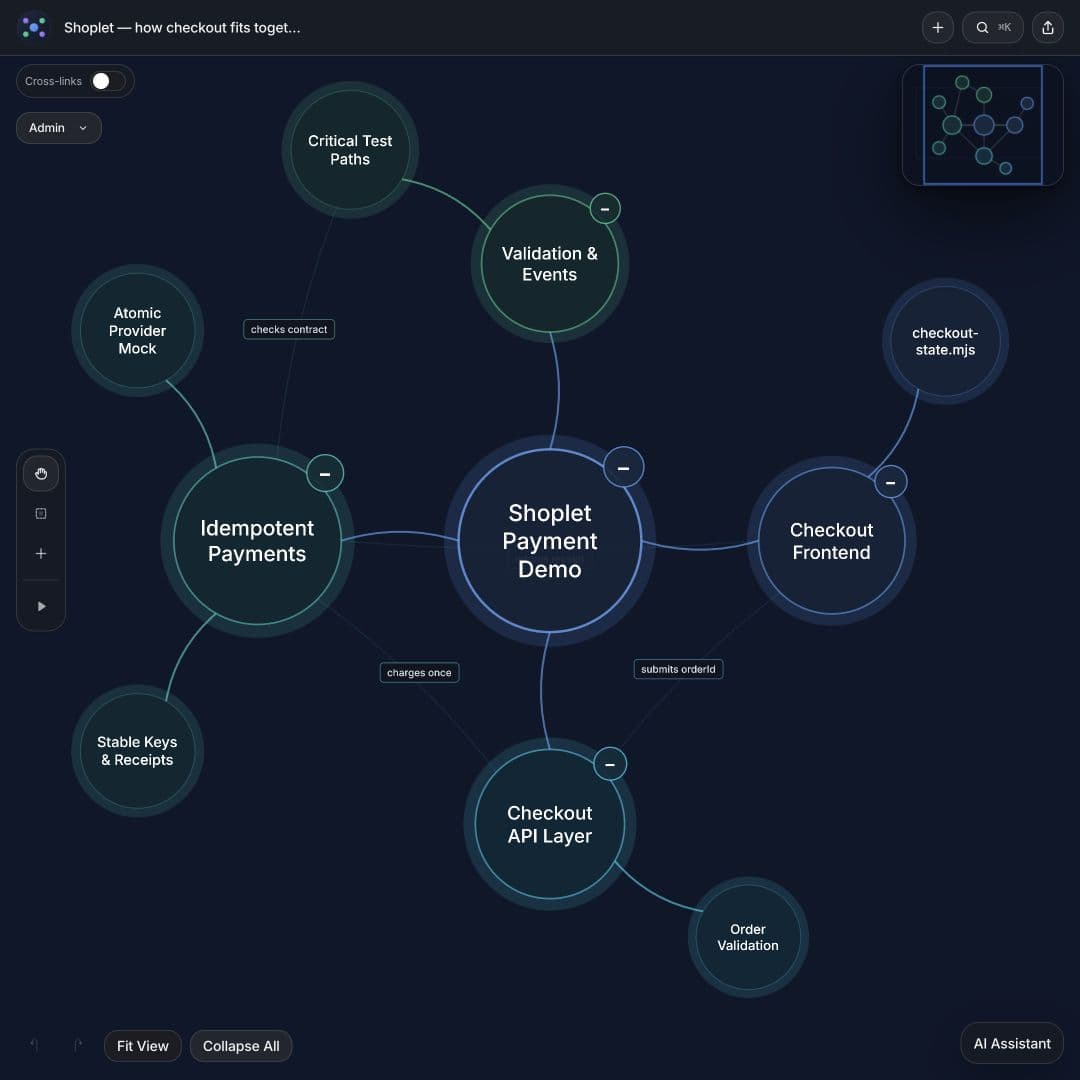
A map provides context when its branches represent distinct concerns. For the fictional Shoplet checkout demo, the project overview separates the checkout frontend, API, payment logic, and verification. Connections show where those parts interact.
Open the project overview. This is a small demonstration project with no real payments.
For a project plan, your branches might instead be outcomes, scope, owners, dependencies, and decisions. For research, use themes, evidence, disagreements, and limitations. Choose categories that help the audience orient themselves.
Keep node labels short enough to recognize at a glance. Use descriptions for the explanation and supporting evidence. If you need help creating the initial structure, use one of these AI mind map prompts.
Choose a short route through the map
The checkout explanation can follow five stops:
The important connection is between the stable key and the provider's behavior. Adding a key to a request does not, by itself, enforce the guarantee. That distinction belongs in the explanation.
Watch the interactive checkout tour. The saved map contains additional review and test branches that viewers can inspect after the main explanation.
- One order. One charge. Establish the intended outcome.
- Payment succeeds. The payment completes, but its response may not reach the client.
- Retry charges again. Without a suitable safeguard, another attempt can create another charge.
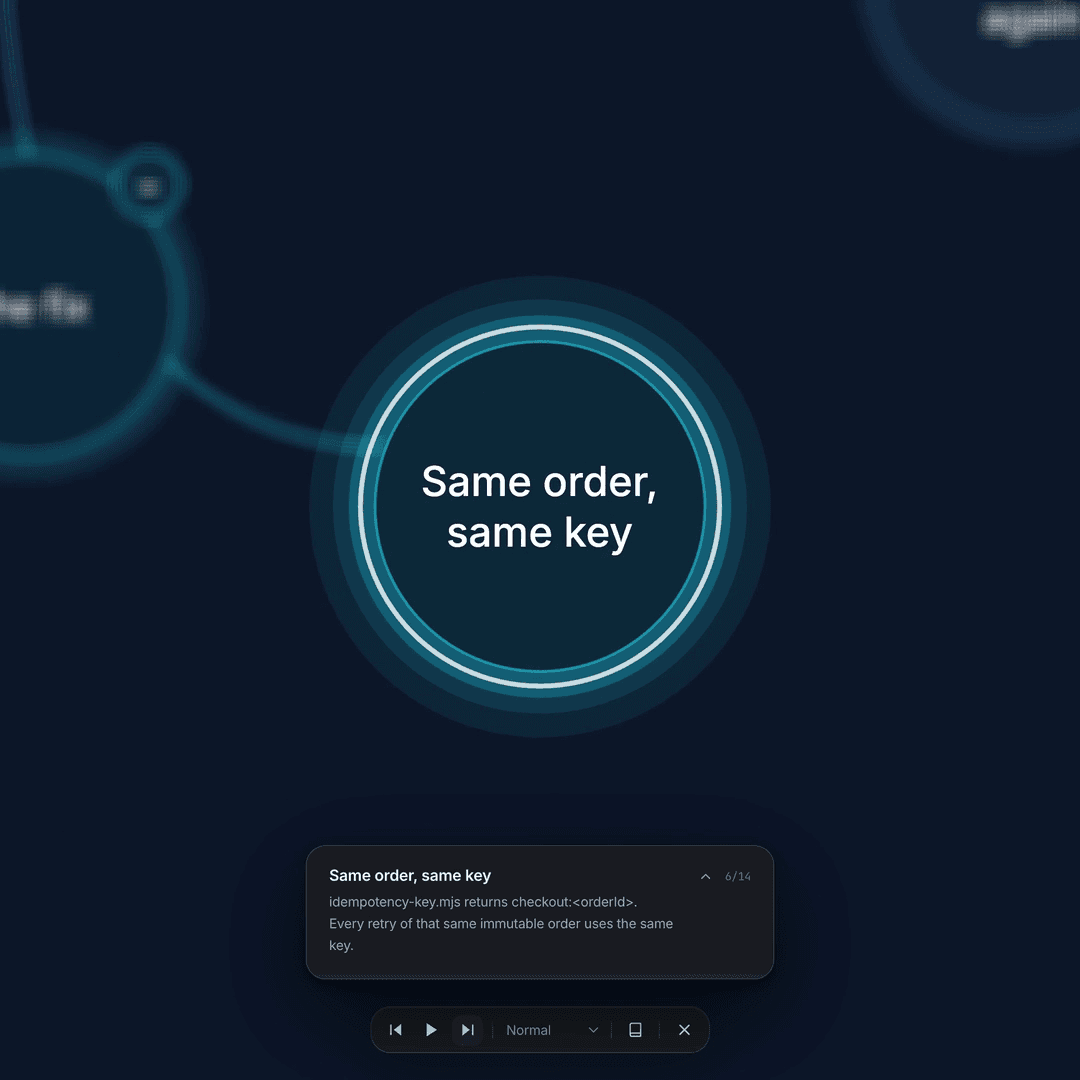
- Same order, same key. The change reuses a stable identifier for the same order.
- Return the first receipt. The provider's handling of that identifier determines whether the retry returns the original result.
Write descriptions that explain the connection
A label names the idea. Its description should explain what the viewer needs to understand about it.
For example, a node labeled “Same order, same key” could have this description:
Every retry of the same immutable order uses the same payment key. The payment provider must recognize that key and handle the repeated request according to its idempotency contract.
Repeating “the order uses the same key” would add little. Explaining the provider dependency gives the viewer something to examine.
Avoid placing a paragraph's worth of detail in the node label. If the description introduces several independent ideas, split them into separate stops or leave the extra detail in a supporting branch.
Play the tour and check the pacing
Open the map, use Play Animation, and review the sequence with the tour controls. DeeplyClear lets you pause, move between nodes, and choose playback speed. Check the actual experience before sending the link.
Look for three problems:
Fix the structure or shorten the text before increasing the speed. Camera movement should direct attention to the explanation; a faster tour does not automatically communicate more clearly.
- Missing context: The viewer sees a detail before understanding which part of the topic it belongs to.
- Unexplained jumps: The camera reaches another branch, but the explanation never says why it matters.
- Too much reading: The description cannot be read comfortably before the tour moves on.
FAQ
Common questions
What is an animated mind map presentation?
It is a guided sequence through selected parts of a mind map. The map preserves the overall structure while the animation directs attention to one part and its connections at a time. In DeeplyClear, this is called a Clarity Tour.
Should a tour include every node?
Choose the nodes needed to answer the audience’s question. Leave unrelated details available for exploration in the map afterward.
Can I share a public map without listing it in the community?
Yes. Enable the public link and turn off Show in Explore. Anyone with the public link can view it, so use this for material suitable for public access.
Next step
Use this workflow in DeeplyClear
Turn notes, docs, prompts, or product thinking into a map you can inspect, refine, and explain.