
Keep your grasp of the project
A code review mind map gives you a way into that work. Start with the project's relevant components, map the change in behavior, and connect the explanation to the files and tests that support it. Use the map to decide where to inspect the code, then verify the important claims in the implementation.
The aim is to keep pace with AI-assisted development while retaining your grasp of the project. Here is a complete example using a small checkout change.
First, map where the change belongs
A list of filenames tells you the size of a diff. It does not tell you the path a request follows.
Our example uses Shoplet, a fictional checkout demo created for this walkthrough. Its actual before-and-after source contains 16 changed files: ten modified files and six additions. It uses an in-memory payment provider model and processes no real payments.
The project map separates four concerns:
Explore the project map. Before reviewing the fix, trace how an order reaches the payment provider and how its receipt returns to the client. That route gives the individual edits a context.
For your own project, keep the overview focused on the affected feature. Ask the coding assistant to inspect the repository rather than infer the architecture from a chat summary. Include representative file paths and the revision being reviewed in node descriptions.
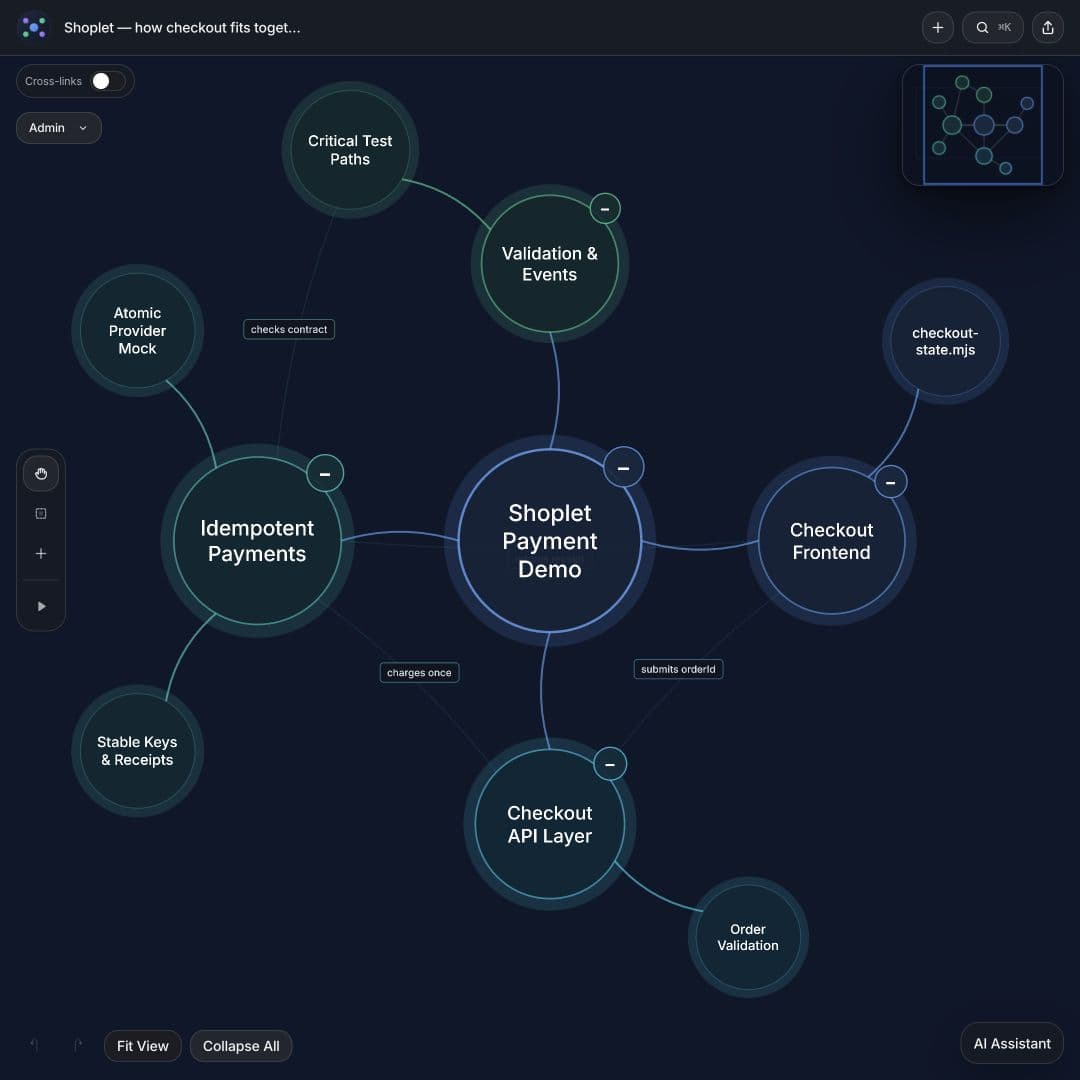
- Checkout frontend: Submits an order and tracks the request state.
- Checkout API: Loads the order, verifies ownership, and supplies the server-owned amount.
- Payments: Creates the payment key, calls the provider, and returns a receipt.
- Validation and events: Records outcomes and tests the contract.
Describe the change in behavior
Use a title that says what the change does: “Stop customers being charged twice when they retry checkout.”
The failure is straightforward. A payment can succeed even when its response fails to reach the client. If the customer retries and the provider treats that attempt as a new payment, the order can be charged again.
The demo changes the request path so retries of the same immutable order reuse a stable payment key. The provider model recognizes that key and returns the original result. The map's main branches cover the bug, the fix, the required guarantee, and verification.
This is more useful to a reviewer than a branch labeled “reliability improvements.” It states a behavior you can trace and test.
Follow the dependency that makes the fix work
The central relationship is:
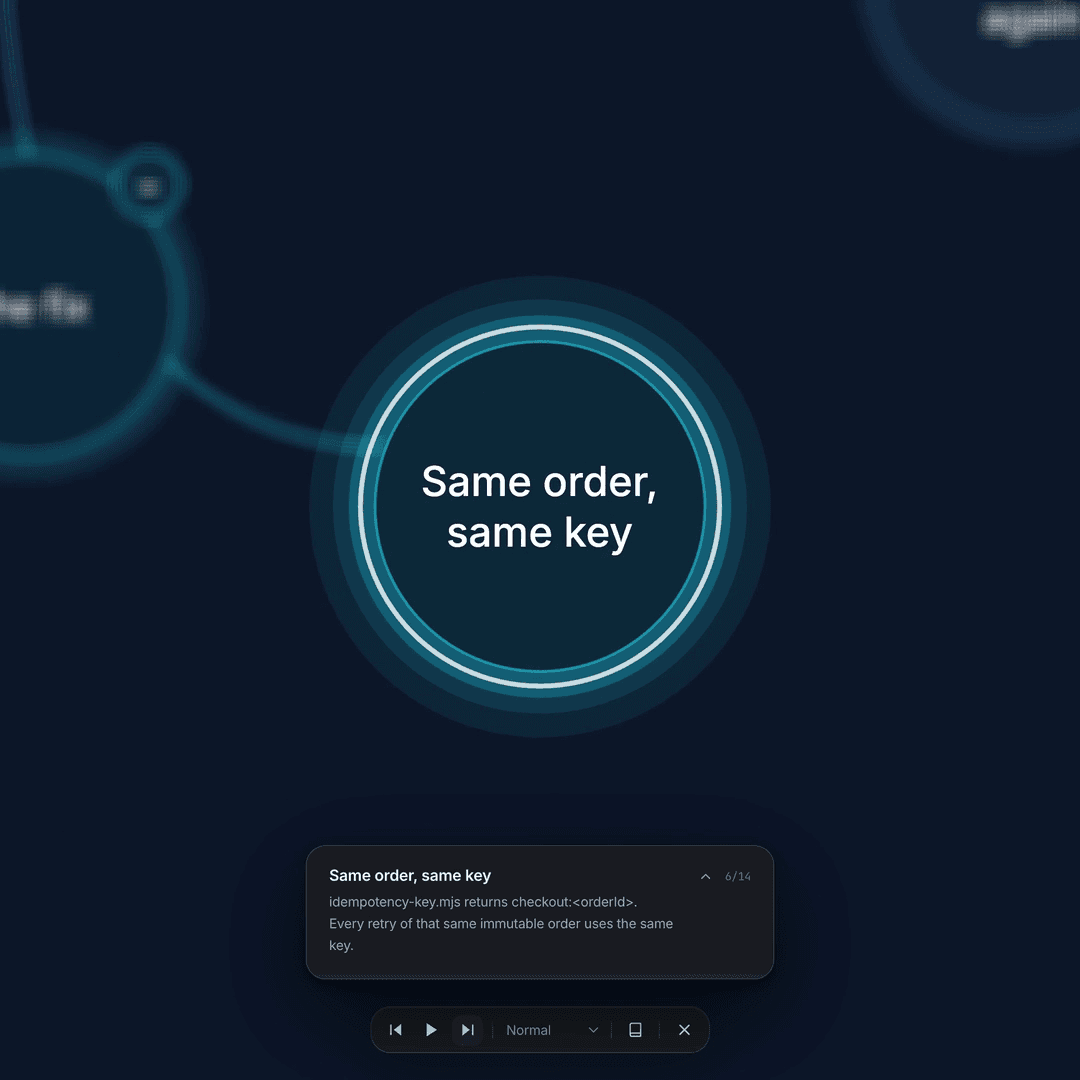
Same order → same payment key → provider recognizes the retry → original receipt.
In the demo, idempotency-key.mjs derives the key, and charge-order.mjs passes it to the provider. That tells you where to begin reading. It does not prove the provider will enforce the intended behavior.
Watch the checkout explanation. The tour focuses attention on one relationship at a time; the full map retains the surrounding review questions.
For a real payment integration, inspect the provider's documented behavior: concurrent requests, changed parameters, stored failures, persistence, and key lifetime. For example, Stripe documents that repeated requests with a stored idempotency result return that result, including failures; its documentation also describes parameter comparisons, key pruning, and exceptions before execution begins. Those details matter when designing retries. Stripe's idempotency documentation.
Shoplet's in-memory model demonstrates the intended relationship. Its tests do not establish the behavior of an external payment service.
Connect each claim to verification
The demo includes six checks: retrying after a lost response, simultaneous retries, separate orders, order ownership, changed amounts, and provider failure handling. They passed against the demo implementation when this example was prepared.
Use those cases as review questions for your own change:
Attach each question to the relevant component in the map. Separate a verified result from a suggested test or an open assumption. A node saying “concurrency tested” is only useful if the underlying test exercises the behavior you are relying on.
- Do retries refer to the same operation, or accidentally create a new one?
- What happens when two attempts arrive together?
- Can a different order be mistaken for the first one?
- Who establishes the order's owner and amount?
- What happens if parameters change while a key stays the same?
- Which failures can be retried, and what result comes back?
Ask your coding assistant for a review map
After giving the assistant the diff and access to its surrounding code, use this prompt:
Prompt to copy
Inspect this change and create a DeeplyClear mind map explaining its previous behavior, new behavior, affected components, assumptions, and verification. Show how the change fits into the project. Include relevant file paths in descriptions. Connect each important behavior to its implementation and tests. Distinguish verified facts from assumptions, and tests that exist from tests you recommend. Keep the initial overview compact.
Then challenge one important claim: “Show me the implementation and test behind this connection.” Correct the map if either fails to support the explanation.
Use the AI tools connection guide to connect DeeplyClear to your workflow. If your starting point is a long coding conversation, the Codex architecture mapping guide explains which context to retain.
Finish the review in the code
A clear explanation is not an approval. Inspect the relevant implementation, run appropriate checks, and leave actionable feedback on the change. GitHub supports line comments, code suggestions, and review decisions directly on a pull request. GitHub's review guide.
Keep the map alongside that review as a shared explanation. When the implementation changes, update the affected nodes and connections so the map continues to represent the code being discussed.
Connect DeeplyClear to your AI and map the next change you need to understand. Start with the project, follow the changed behavior, and use the map to make the next code inspection more focused.
FAQ
Common questions
What belongs in a code review mind map?
Include previous behavior, new behavior, affected components, assumptions, and verification. Connect important claims to the implementation and tests, and include relevant file paths and the revision being reviewed.
Does a mind map replace reviewing the diff?
No. Use the map to orient yourself and choose which relationships to inspect. Verify the claims in the code, run appropriate checks, and leave review feedback on the change.
Is the checkout example a real production project?
Shoplet is a fictional demonstration with actual before-and-after source and tests. Its in-memory payment provider processes no real payments and does not establish the guarantees of an external payment service.
Next step
Use this workflow in DeeplyClear
Turn notes, docs, prompts, or product thinking into a map you can inspect, refine, and explain.