Don’t become the bottleneck. Don’t lose the big picture.
AI can finish the implementation while you’re still piecing together its last change. Reading the diff tells you what moved. Understanding why it moved—and what else it affects—takes context.
Ask your assistant to map the change in DeeplyClear. See the affected parts of the project, follow the behavior through them, and use an animated Clarity Tour to walk through the explanation. You get a place to start reviewing and a project map you can return to as the work continues.
Here’s your project.
Before diving into the patch, see where it belongs. In this checkout example, the project map connects the frontend, checkout API, payment logic, and tests. Follow an order from the customer’s click to the payment provider and back to the receipt.
That context matters when a change spans several files. You can ask which part owns the amount, where a retry begins, and which component decides whether another payment is created.
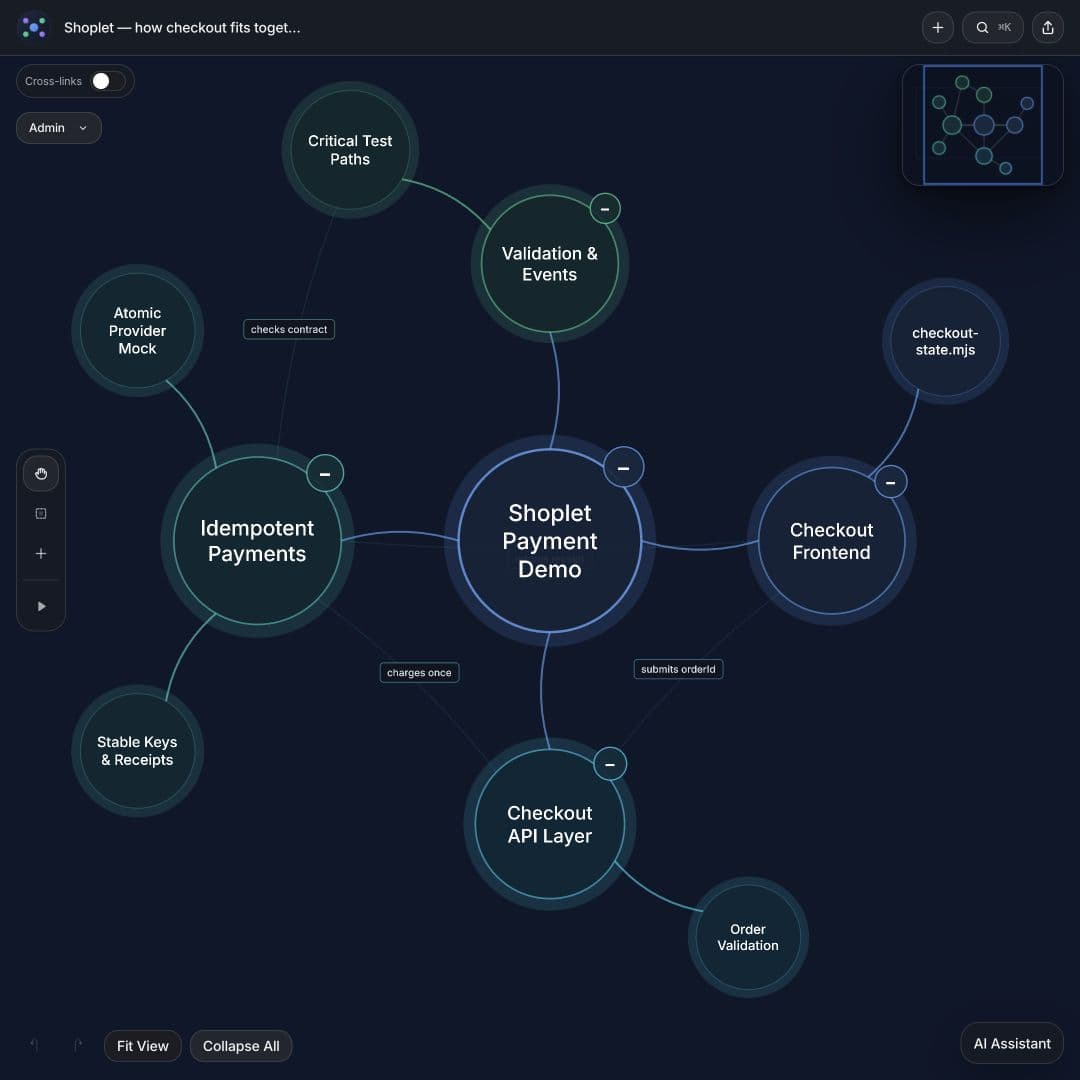
Here’s what changed: stop checkout retries charging customers twice.
A payment succeeds, but the response never reaches the customer. They retry. If the provider treats that attempt as a new payment, the customer gets charged again.
The change gives retries of the same immutable order the same payment key. The demo provider recognizes it and returns the original payment result. The tour walks through the bug, the key, and the receipt so you can see the change and how it fits.
The key’s connection to the provider is the part to inspect: the provider must actually enforce the retry contract. The map makes that dependency explicit and gives you a focused question to take back to the code.
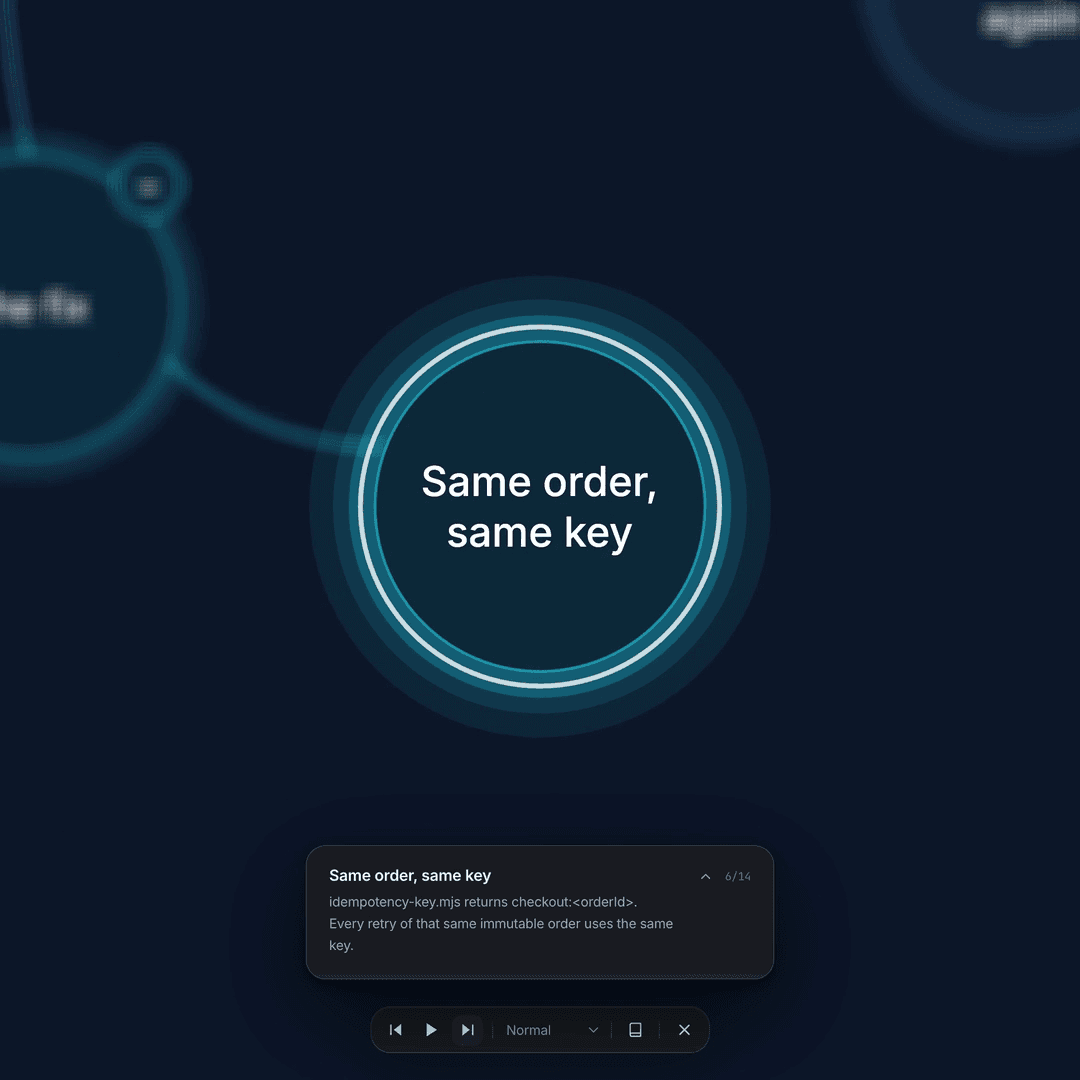
Follow the explanation. Then inspect what matters.
A large map can be as overwhelming as a large diff. A Clarity Tour directs attention to one part at a time while keeping the surrounding structure available. Pause on a dependency, revisit the previous step, or explore another branch when a question comes up.
Use that understanding to check the implementation and tests. In this example, the review questions include simultaneous retries, changed amounts, and a lost response. Connect each question to the code responsible for it.
Shoplet is a fictional demo with a real 16-file before-and-after change and six passing checks. Its in-memory payment provider processes no real payments. The detailed review guide explains the model and the guarantees a real integration would need.
Map your next change.
Connect DeeplyClear in ChatGPT, then provide the diff and relevant project context. If you’re already working with the repository in Codex or Claude Code, use the corresponding connection guide and ask your coding assistant to inspect the files first.
Prompt to copy
Inspect this change and its surrounding code. Create a DeeplyClear mind map showing where the change fits in the project, what happened before, what happens now, and which implementation and tests support it. Include relevant file paths and the revision. Mark assumptions and suggested tests separately from verified facts. Suggest a short Clarity Tour through the important connections.
Open the saved map, check its important connections against the source, and play the Clarity Tour. Keep the map updated when the implementation changes so the next explanation starts from the current project.
FAQ
Common questions
How can I understand an AI-generated code change?
Start with the affected project components, then trace the previous and new behavior through them. A DeeplyClear mind map connects that explanation to files, dependencies, and tests. Use the animated tour to orient yourself, then verify the important claims in the code.
Can I map a pull request as well as the project?
Yes. Give your connected assistant the diff and enough surrounding code to establish the relationships. Ask for project context and a focused explanation of the change, with file references and unverified assumptions clearly identified.
Does DeeplyClear automatically approve or verify the code?
No. The map is an explanation you can inspect and refine. You still review the implementation, check the assumptions, and run appropriate tests before approving the change.
Which AI tool should I connect?
Use the tool that has the context you want to map. The example starts with ChatGPT; the setup guide also covers Codex and Claude Code. Supply the relevant source material or repository access in that tool before asking it to create the map.
Next step
Keep AI moving. Keep your project in view.
Connect DeeplyClear in ChatGPT. Map your next change.